Vista HowTo
HOWTO run ReStackor under Windows Vista
-
Start Button => type: excel [shift][cntrl][enter]
-
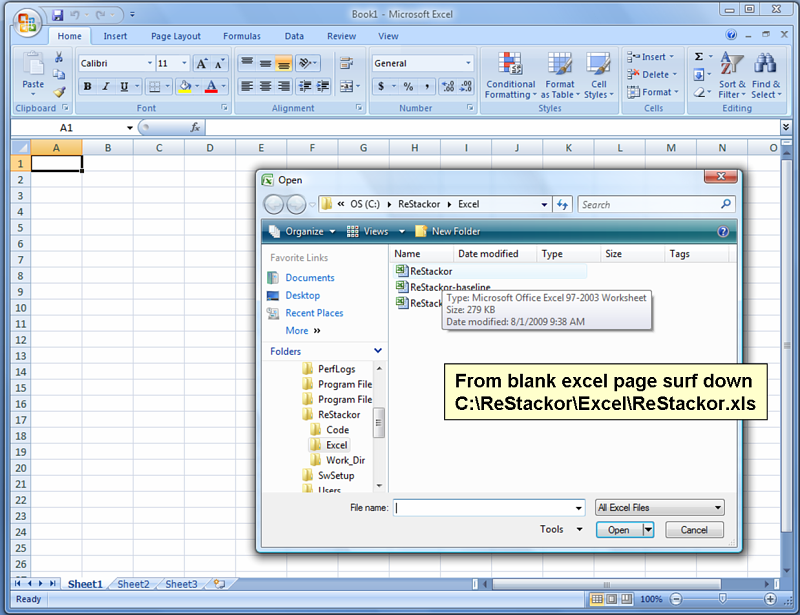
Surf down c:\ReStackor\Excel\Restackor.xls and open it.
-
You are ready to run.
Windows Vista locks C drive access to improve security. On single drive laptops that creates a problem with access denied to the C drive. ReStackor is launched as a shell executable by a visual basic macro run out of excel. Somewhere in there the authority for ReStackor to write i/o files to the C drive is lost under windows Vista. That is fixed by running the spreadsheet in admin mode using the above launch process.
Launching Spreadsheets Under Windows Vista:
To give excel macros permission to write to the Vista C drive spreadsheets have to be launched with administration privileges. Macros launched from the spreadsheet inherit those privileges and pass them to the shell running ReStackor allowing output files to be written to the C drive. The process to launch a Windows Vista spreadsheet with admin privileges is shown below:
Click on Start and type in "excel [shift][control][enter]". You have to hold down the shift key and the control key and then hit enter.
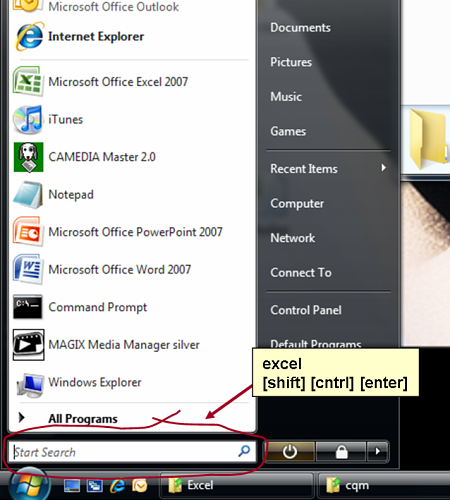
The three finger salute "excel [shift][control][enter]" launches excel with admin privileges and you get a blank spreadsheet.
Launching Start => excel [shift][cntrl][enter] gives a windows vista prompt asking you to confirm you want to run excel in admin mode. Click [yes/OK].
Click on File => Open and surf down the ReStackor spreadsheet in c:\ReStackor\Excel\ReStackor.xls (or any other spreadsheet you have saved) and you are ready to run under Windows Vista.
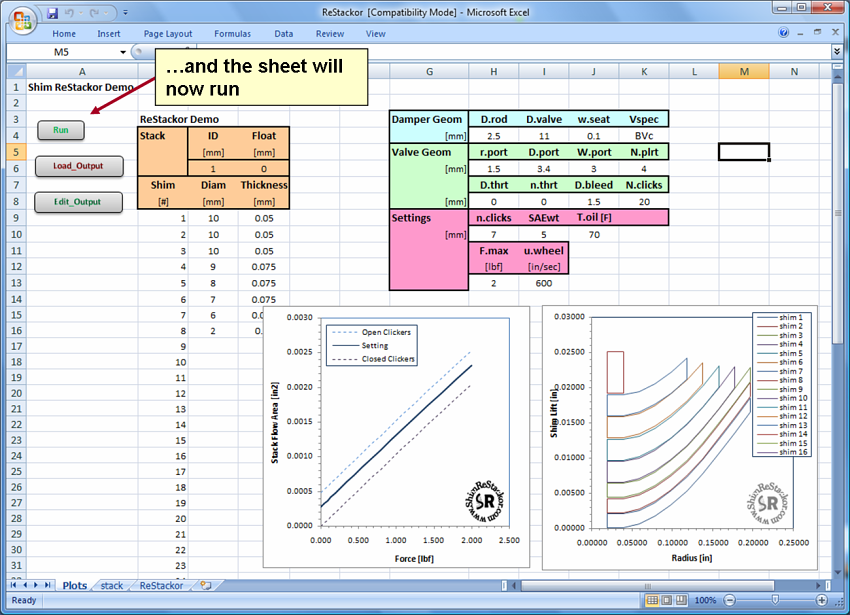
With the spreadsheet opened click on the Run button and you should see a DOS window pop up with I/O flashing across the screen from the ReStackor calculations.